
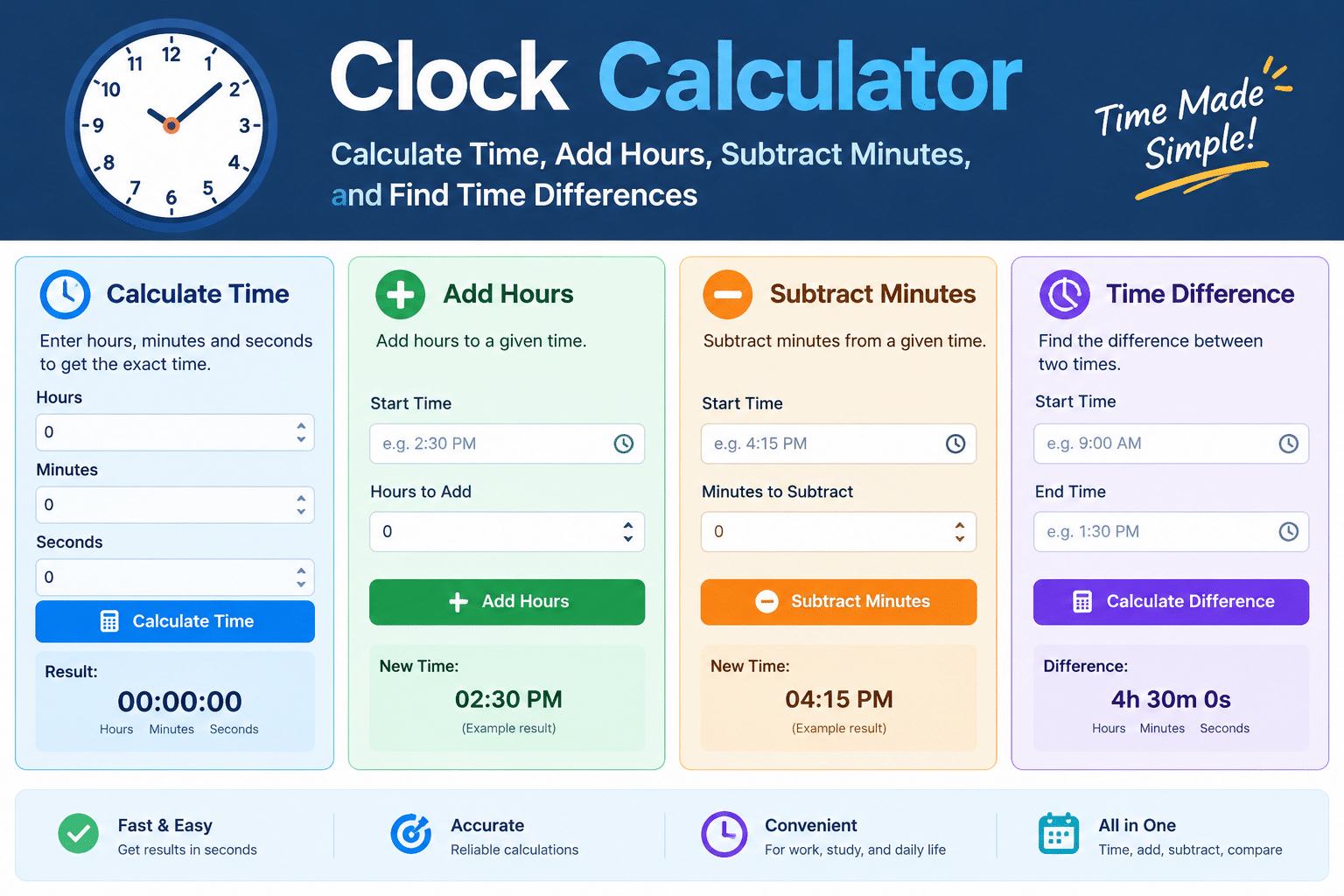
Time plays an important role in our daily lives. We use it to plan work, manage school schedules, track sleep, and organize daily tasks. However, calculating hours and minutes by hand can sometimes feel confusing. A clock calculator makes these tasks much easier. It helps you add time, subtract minutes, find the difference between two clock times, and solve everyday time problems.
For example, imagine starting work at 9:15 AM and finishing at 5:45 PM. You may want to know how many hours you worked. You might also need to subtract a lunch break. Instead of counting every minute, you can use a time calculation tool. This guide explains how these tools work, how to calculate time manually, and when they are most useful. You will also discover helpful examples, practical tips, and answers to common questions. By the end, you will understand how to handle everyday time calculations with greater confidence.
What Is a Clock Calculator?
A clock calculator is a tool that helps you solve problems involving hours, minutes, and sometimes seconds. You enter a starting time, choose a calculation, and provide the required values. The tool then gives you the result. Depending on its features, it may calculate elapsed time, add hours, subtract minutes, or convert time into different units.
For example, you might enter 2:30 PM and add 90 minutes. The answer would be 4:00 PM. This is much faster than counting forward on a clock. Some tools also support work schedules, time tracking, and duration calculations. Others can handle 12-hour and 24-hour clock formats. These features make time calculations easier for students, employees, parents, and business owners. The main benefit is simple: you can solve common time problems without doing every calculation yourself.
How Does a Clock Calculator Work?
A clock calculator uses basic time rules to produce accurate results. It reads your starting time and the amount of time you want to add or subtract. It then adjusts the hours and minutes as needed. When the minutes reach 60, they become one additional hour. When you subtract minutes from an hour, the calculation may require borrowing an hour.
For instance, adding 45 minutes to 3:40 PM gives 4:25 PM. The minutes total 85, so you carry one hour and keep 25 minutes. A calculator handles this process automatically. Some advanced tools also calculate time across midnight. They may convert time into total minutes before working out the answer. This method helps prevent common mistakes. However, you should always check whether the tool uses your intended date, time zone, and clock format.
Main Features of an Online Clock Calculator
A good clock calculator can support several types of time calculations. The exact features depend on the website or app you choose. Basic tools usually focus on adding and subtracting time. More advanced tools may include work-hour tracking and time conversions.
Common features include:
- Add time: Add hours, minutes, or seconds to a starting time.
- Subtract time: Find an earlier time by removing a duration.
- Calculate time differences: Find the duration between two clock readings.
- Work-hour calculation: Estimate time spent working during a shift.
- Break deduction: Remove lunch or rest breaks from total hours.
- Time conversion: Convert hours into minutes or seconds.
- 24-hour clock support: Work with formats such as 14:30.
- Overnight calculations: Calculate durations that pass midnight.
These features are helpful in many situations. A student can calculate study time, while an employee can estimate shift duration. A traveler can work out the time between planned activities. Choosing a tool with the right features can save time and reduce errors.
How to Add Hours and Minutes
Adding time is useful when planning appointments, lessons, travel, or daily activities. You start with a clock time and add a duration. The result tells you when the activity will finish. A clock calculator can do this automatically, but understanding the method helps you check the answer.
Suppose a movie starts at 6:20 PM and lasts 2 hours and 15 minutes. First, add two hours to reach 8:20 PM. Next, add 15 minutes to reach 8:35 PM. The movie should finish at 8:35 PM, assuming the listed duration excludes extra previews or breaks. Another example is adding 50 minutes to 10:30 AM. The answer is 11:20 AM. Always remember that 60 minutes equal one hour. When the minutes pass 59, the next hour begins. This simple rule makes time addition easier to understand.
How to Subtract Time Correctly
Subtracting time helps you find an earlier clock reading or calculate the time remaining before an event. You can use this method to plan when to leave home, prepare for meetings, or organize study sessions. Enter the current or starting time and subtract the required number of hours or minutes.
Imagine that your class begins at 11:00 AM, and you need 45 minutes to prepare. Subtracting 45 minutes gives 10:15 AM. You should begin preparing by that time. Another example is subtracting 1 hour and 30 minutes from 4:20 PM. The result is 2:50 PM. When subtracting minutes from a time with fewer minutes, borrow one hour. For example, subtracting 20 minutes from 3:10 PM means changing the hour to 2 and the minutes to 70. The result is 2:50 PM. A calculator performs this adjustment automatically.
How to Calculate the Time Difference Between Two Times
Finding the difference between two times is one of the most common uses of a clock calculator. It helps you determine how long an activity lasts. You can use it for work shifts, exercise sessions, school lessons, or travel plans. Enter the start time and finish time to calculate the elapsed duration.
For example, suppose you start studying at 1:25 PM and finish at 3:10 PM. From 1:25 PM to 2:25 PM is one hour. From 2:25 PM to 3:10 PM is another 45 minutes. Your total study time is one hour and 45 minutes. The same method works for meetings and appointments. If your activity crosses midnight, the date becomes important. A shift from 10:00 PM to 6:00 AM lasts eight hours when it ends the following morning. Select an overnight option when available, or specify both dates for the correct result.
How to Calculate Work Hours and Breaks
Employees, freelancers, and business owners often need to calculate work hours. This helps them track schedules and estimate paid working time. A clock calculator can find the duration between clock-in and clock-out times. You can then subtract unpaid breaks to estimate the actual time worked.
Consider a shift that starts at 9:00 AM and ends at 5:30 PM. The total duration is eight hours and 30 minutes. If you take a 30-minute unpaid lunch break, your working time becomes eight hours. For another example, a worker may start at 8:45 AM and finish at 4:15 PM. That shift lasts seven hours and 30 minutes before breaks. If the worker takes a 45-minute unpaid break, the result is six hours and 45 minutes. Always follow your employer’s rules for paid breaks, overtime, and rounding. A calculator provides the duration, but workplace policies determine how those hours should be recorded or paid.
Understanding the 12-Hour and 24-Hour Clock
Clock times usually appear in either a 12-hour or a 24-hour format. The 12-hour system uses AM and PM. The 24-hour system counts from 00:00 through 23:59. Both systems describe the same day, but their formats differ. Understanding them helps you enter the correct values into a time calculator.
For example, 2:00 PM in the 12-hour system equals 14:00 in the 24-hour system. Midnight is 12:00 AM or 00:00. Noon is 12:00 PM or 12:00. To convert most afternoon times, add 12 to the hour. For example, 5:30 PM becomes 17:30. Morning times usually keep the same hour, although midnight requires special handling. The 24-hour format is common in transport schedules, hospitals, and many workplaces. It can reduce confusion when planning activities across a full day. Always check which format your calculator expects before entering a time.
Calculating Time Across Midnight
Some time calculations cross from one calendar day into the next. This happens with night shifts, late events, overnight travel, and sleep schedules. A calculator must account for the change of day. Otherwise, it may produce a negative duration or an incorrect result.
Imagine that you begin a night shift at 11:00 PM and finish at 7:00 AM the following morning. From 11:00 PM to midnight is one hour. From midnight to 7:00 AM is seven hours. Your total shift lasts eight hours before any breaks. Another example is a journey starting at 10:40 PM and ending at 1:15 AM. The elapsed time is two hours and 35 minutes. For accurate results, select an overnight calculation option when available. If the tool asks for dates, enter the correct start and end dates. This matters even more when calculating schedules across weekends, months, or daylight-saving changes.
Converting Hours, Minutes, and Seconds
Time conversion allows you to express the same duration in different units. It is useful for homework, exercise tracking, project planning, and computer tasks. A clock calculator may convert hours into minutes, minutes into seconds, or a mixed duration into a single unit. These conversions use simple mathematical rules.
Remember these basic relationships:
- 1 hour equals 60 minutes.
- 1 minute equals 60 seconds.
- 1 hour equals 3,600 seconds.
- 2 hours equal 120 minutes.
- 90 minutes equal 1 hour and 30 minutes.
- 150 seconds equal 2 minutes and 30 seconds.
For example, if you study for 2 hours and 20 minutes, multiply two hours by 60. That gives 120 minutes. Add the remaining 20 minutes to get 140 minutes. This result makes it easier to compare study sessions or enter durations into tracking software. When converting time, remember that clock time and decimal hours are different. For example, 1 hour and 30 minutes equals 1.5 decimal hours, not 1.30 hours.
Clock Calculator for Students and Teachers
Students often need to calculate time while studying, completing assignments, or preparing for exams. Teachers also use time calculations to plan lessons, tests, and classroom activities. An online clock calculator can make these tasks simpler. It is especially useful when a schedule includes several subjects or short breaks.
For example, a student studies mathematics from 4:00 PM to 4:50 PM. Then the student studies science from 5:10 PM to 6:00 PM. Each session lasts 50 minutes. The total study time is 100 minutes, or 1 hour and 40 minutes. The break between sessions does not count as study time. Teachers can use similar calculations to plan lessons that begin and end at specific times. Students should still learn basic time math instead of relying only on tools. Understanding the process makes it easier to check answers and solve classroom questions. The calculator works best as a helpful learning aid.
Using a Clock Calculator for Daily Planning
Daily planning becomes easier when you know how long each activity will take. You can use a time calculator to organize cooking, exercise, household tasks, appointments, and travel. It helps you estimate finish times and avoid overlapping activities. You can also use it to plan rest periods between demanding tasks.
Suppose you start exercising at 6:15 AM for 40 minutes. Your session ends at 6:55 AM. You then need 25 minutes to shower and get dressed. That takes you to 7:20 AM. If breakfast takes another 20 minutes, you will finish at 7:40 AM. Breaking your morning into timed activities gives you a clearer plan. However, remember to leave some extra time for delays. Real-life tasks do not always finish exactly as expected. Use the calculated times as a guide, then adjust your schedule when necessary. This approach can make busy days feel more organized and manageable.
Common Mistakes in Time Calculation
Time calculations may look simple, but a few common mistakes can lead to incorrect answers. One frequent error is treating minutes like decimal numbers. For example, 2 hours and 30 minutes does not equal 2.30 hours. It equals 2.5 decimal hours. Another mistake is forgetting AM and PM when entering a time. This can shift a result by 12 hours.
People also forget to subtract unpaid breaks when calculating work time. Others overlook midnight when working with overnight shifts. Incorrect date selection can cause similar problems. To avoid these errors, check your starting time, ending time, and selected format. Confirm whether the calculation includes breaks. For overnight activities, make sure the finish time belongs to the correct date. If you use the result for payroll, billing, or official time records, compare it with your organization’s rules. A clock calculator can handle the arithmetic, but correct information is still essential.
Benefits of Using an Online Clock Calculator
An online clock calculator offers a quick way to solve everyday time problems. It reduces the need for manual counting and helps you check results. This can be useful when working with several time values or planning a detailed schedule. Most basic calculators are simple to use and require no advanced mathematical knowledge.
Another benefit is flexibility. You can calculate work shifts, school sessions, travel durations, and personal routines. Some tools also provide time conversion features and support overnight calculations. These options can make planning more convenient. However, not every calculator has the same functions. Some only add or subtract durations, while others calculate differences between clock readings. Choose a tool that matches your task. For sensitive records, verify the result before using it. Good time management depends on accurate calculations, realistic plans, and regular checks. A calculator supports these habits, but it cannot predict every delay or schedule change.
How to Choose the Right Clock Calculator
Choosing the right calculator depends on what you need to calculate. If you only add minutes to a clock time, a basic tool may be enough. If you track work shifts, choose one that supports start times, finish times, and break deductions. Students may prefer a simple interface that displays results clearly.
Before using a tool, check whether it supports both 12-hour and 24-hour formats. Look for overnight calculations if you work night shifts or plan late activities. A useful calculator should show results in an easy-to-read format. It should also explain whether the result represents elapsed time or a clock reading. For payroll and billing, confirm the required rounding rules separately. You should not assume every tool follows the same workplace policy. If privacy matters, avoid entering personal or sensitive details into unfamiliar websites. A simple, reliable calculator with the right features is often the best choice.
Conclusion
A clock calculator makes everyday time calculations easier and faster. You can use it to add hours, subtract minutes, calculate time differences, and convert durations. It is helpful for students, employees, teachers, travelers, and anyone who wants to manage a schedule. With a few basic rules, you can also check many results yourself.
Remember to watch for AM and PM, unpaid breaks, and activities that cross midnight. Choose a calculator that supports your needs, and always check important results before using them for official records. Understanding how time works helps you plan more confidently. Try calculating your next study session, work shift, or daily routine. You may find that better time planning makes your day easier to manage. If you have a useful time-calculation example, share it with others so they can learn from it too.
Frequently Asked Questions (FAQs)
1. What is a clock calculator used for?
A clock calculator helps you add or subtract time and find the duration between two clock readings. You can use it to plan activities, track work hours, calculate study sessions, and estimate travel times. Some tools also convert hours, minutes, and seconds into different units.
2. Can I use a clock calculator to add hours and minutes?
Yes. Enter your starting time and the duration you want to add. For example, adding 1 hour and 30 minutes to 2:15 PM gives 3:45 PM. The calculator handles changes between hours and minutes automatically.
3. How do I calculate the difference between two times?
Enter the starting time and ending time into a time difference calculator. For example, the time between 9:00 AM and 1:30 PM is 4 hours and 30 minutes. If the activity crosses midnight, make sure the tool accounts for the next day.
4. Can a clock calculator calculate work hours?
Yes. Many tools calculate the time between clock-in and clock-out readings. You can then subtract unpaid breaks to estimate your working hours. Check your employer’s rules for paid breaks, overtime, and rounding before using the result for payroll.
5. What is the difference between clock time and decimal hours?
Clock time uses hours and minutes, while decimal hours express the duration as a decimal number. For example, 1 hour and 30 minutes equals 1.5 decimal hours. This distinction matters when entering work hours into spreadsheets or time-tracking systems.
6. Can I calculate time across midnight?
Yes, if the calculator supports overnight calculations or lets you enter separate dates. For example, a shift from 10:00 PM to 6:00 AM the next day lasts eight hours before breaks. Always check the dates when calculating overnight durations.